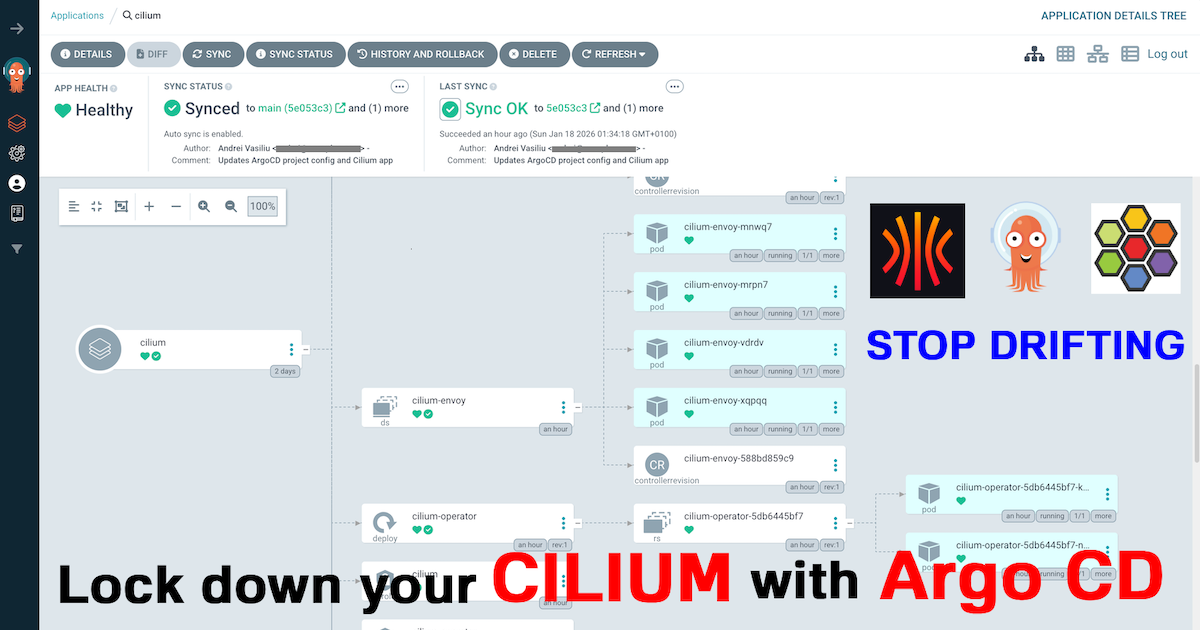

In my last post, Stop Using the Wrong CNI: Why Your Homelab Deserves Cilium in 2026, we established a production-grade networking foundation for our Talos Kubernetes cluster. But a powerful CNI is only half the story. To truly manage our cluster like a professional, we must automate and declare everything.
This post details the next logical step: bringing our manually installed Cilium under the declarative management of Argo CD. This is a critical milestone that transitions our cluster from being “configured” to being “managed.” We will install Argo CD, bootstrap it to manage itself (a classic GitOps inception pattern), and then delegate control of Cilium to it.
As always, all configuration files are open source and available in my GitHub repositories.
The Road to Declarative Management#
In the last article, we installed Cilium with a helm install command. While effective, this imperative approach creates a fragile, hard-to-track state. How do we reliably track configuration changes? How do we roll back if something goes wrong?
This is the core problem GitOps solves. By declaring our desired state in Git, we gain a single source of truth, a perfect audit trail via commits, and the power to eliminate configuration drift. Argo CD continuously ensures our live cluster matches the state defined in Git.
The transition from this manual state to a declarative one requires a critical, one-time bootstrap process. This is the hand-off, where we transition from imperative commands to a fully automated system, and it’s the practical implementation of the architecture I designed in The Four-Repo GitOps Structure for My Homelab Platform.
The Last Manual Steps#
Before the GitOps engine can take over, we must perform our last imperative actions:
- Provision the Base System: We start with a running Talos cluster provisioned via Omni and a manually installed Cilium CNI.
- Install the GitOps Engine: We perform a standard Helm installation of Argo CD. This places the core components into our cluster, but as a blank slate, unaware of our repositories.
helm repo add argo https://argoproj.github.io/argo-helm
helm repo update
kubectl create namespace argocd
helm install argo-cd argo/argo-cd --version 9.3.4 -n argocd
Seeding the GitOps Engine#
This is the most important step. We apply a single, crucial manifest that kickstarts the entire GitOps workflow:
kubectl create -f https://raw.githubusercontent.com/anvaplus/homelab-k8s-argo-config/main/_initial_setup/project-argo-config.yamlThis command applies the project-argo-config.yaml file, which defines the root AppProject. With this manifest applied, we have officially handed over control to Git.
apiVersion: argoproj.io/v1alpha1
kind: AppProject
metadata:
  name: argo-config
  namespace: argocd
spec:
  clusterResourceWhitelist:
  - group: '*'
    kind: '*'
  destinations:
  - name: '*'
    namespace: '*'
    server: https://kubernetes.default.svc
  sourceRepos:
  - https://github.com/anvaplus/homelab-k8s-argo-config
  - https://github.com/anvaplus/homelab-k8s-base-manifests
  - https://github.com/anvaplus/homelab-k8s-environments
  - https://github.com/anvaplus/homelab-k8s-environments-apps
  - https://argoproj.github.io/argo-helm
  - https://helm.cilium.io
Why This First Step is So Important#
That one project-argo-config.yaml file is the key to the whole setup. Think of it as the instruction manual that tells Argo CD what to do next. It’s not just another config file; it’s the starting point for our entire automated platform. Here’s what it does:
- It Builds Trust: The
sourceReposlist tells Argo CD, “Only look at these specific Git repositories.” This is a basic but crucial security step to prevent it from running code from somewhere else. - It Kicks Off the Process: This project points to our
homelab-k8s-argo-configrepository, which holds instructions for all our other apps. This is the “app-of-apps” pattern. Argo CD sees this main instruction and then immediately starts installing the other apps it finds there: in this first phase Argo CD itself and Cilium. - It Manages Itself: Because one of the apps it installs is Argo CD, the system can now manage its own updates. To upgrade Argo CD in the future, we just change the code in Git, and Argo CD will apply the update to itself.
- It Keeps Things Running: This setup automatically fixes things. If someone accidentally deletes or changes a component in the cluster, Argo CD will notice that the live state doesn’t match the Git repository and will automatically put it back the way it should be.
From this point forward, our manual work is done. Every future change to our platform’s core components will be a pull request.
Inside the GitOps Workflow#
With Argo CD bootstrapped, let’s examine the homelab-k8s-argo-config repository to see how it manages our core components. This structure is the heart of our declarative system. The current structure of this repository is as follows, and it will evolve as more tools are installed in the homelab:
├── base/                     # Base configurations for all tools
│   ├── argocd/               # ArgoCD itself configuration
│   └── cilium/               # Cilium CNI configuration
│   └── projects/             # ArgoCD project definitions
└── environments/             # Environment-specific overlays
    ├── dev/                  # Development environment configs
    │   ├── _root/            # Root application for the dev environment
    │   ├── argocd/           # ArgoCD overrides for dev
    │   └── cilium/           # Cilium overrides for dev
    │   └── projects/         # ArgoCD project overrides for dev
    └── prod/                 # Production environment configs
The repository follows a clear, Kustomize-driven structure:
base/: Contains the generic, reusableApplicationmanifests for our platform tools (e.g., Argo CD, Cilium), pointing to their official Helm charts. These are the default settings.environments/: Contains environment-specific overrides. Each environment (dev,prod, etc.) has a subdirectory where Kustomize patches can modify the base configurations, for instance, to change replica counts or domain names._root/: This directory in each environment implements the “app-of-apps” pattern. It contains akustomization.yamlfile that assembles all the applications for that environment. Applying this single directory (kubectl apply -k environments/dev/_root) installs the rootApplicationwhich, in turn, manages all other applications for that environment.
The root project we bootstrapped points to this _root application, which then deploys the Application resources for Argo CD and Cilium, ensuring they are managed declaratively. To add a new tool, we simply add its base configuration to base/ and customize it in environments/. The app-of-apps structure ensures it’s deployed automatically.
A Note on Production-Grade Configuration
A key detail in the Cilium
Applicationmanifest is the use ofignoreDifferences. This setting is crucial for preventing reconciliation loops caused by secrets containing automatically generated certificates (e.g., for Hubble). By telling Argo CD to ignore these specific fields, we maintain a clean Git history while allowing the in-cluster components to manage their own dynamic secrets.Here is the relevant snippet from the Cilium
Applicationmanifest:apiVersion: argoproj.io/v1alpha1 kind: Application metadata: name: cilium namespace: argocd spec: ignoreDifferences: - kind: Secret name: cilium-ca namespace: kube-system jsonPointers: - /data/ca.crt - /data/ca.key - kind: Secret name: hubble-ca-secret namespace: kube-system jsonPointers: - /data/ca.crt - /data/tls.crt - /data/tls.key # ... other spec fields syncPolicy: syncOptions: - RespectIgnoreDifferences=true automated: prune: true selfHeal: trueWe also add a
syncOptionto ensure this ignore rule is respected during sync operations. This is a perfect example of a small but vital tweak needed for a robust, real-world GitOps implementation.
Conclusion: Full GitOps Control#
We’ve now achieved a major milestone in our enterprise-to-homelab setup. Our cluster’s networking layer is no longer just a manual configuration; it’s a version-controlled, declarative state managed by a GitOps pipeline.
This setup provides immense power and safety. We can now experiment with network policies, update our CNI, and observe every change through the lens of Git. This is how modern, production-grade platforms are managed, and now it’s how my homelab runs.
In the next post, we’ll leverage this GitOps foundation to start deploying applications from our environments repository, truly bringing the four-repo model to life.
Stay tuned! Andrei