
More Than Just a Login Screen#
In our last post, we deployed a production-ready Keycloak cluster. But an Identity Provider (IdP) in isolation is just a database of users. Its true power lies in being the architectural enforcement point for your entire platform.
In the enterprise world, Keycloak is a beast. I’ve used it to broker trust between legacy Active Directory forests and modern cloud-native apps, managing complex federation and fine-grained authorization policies. It doesn’t just authenticate users; it authorizes access.
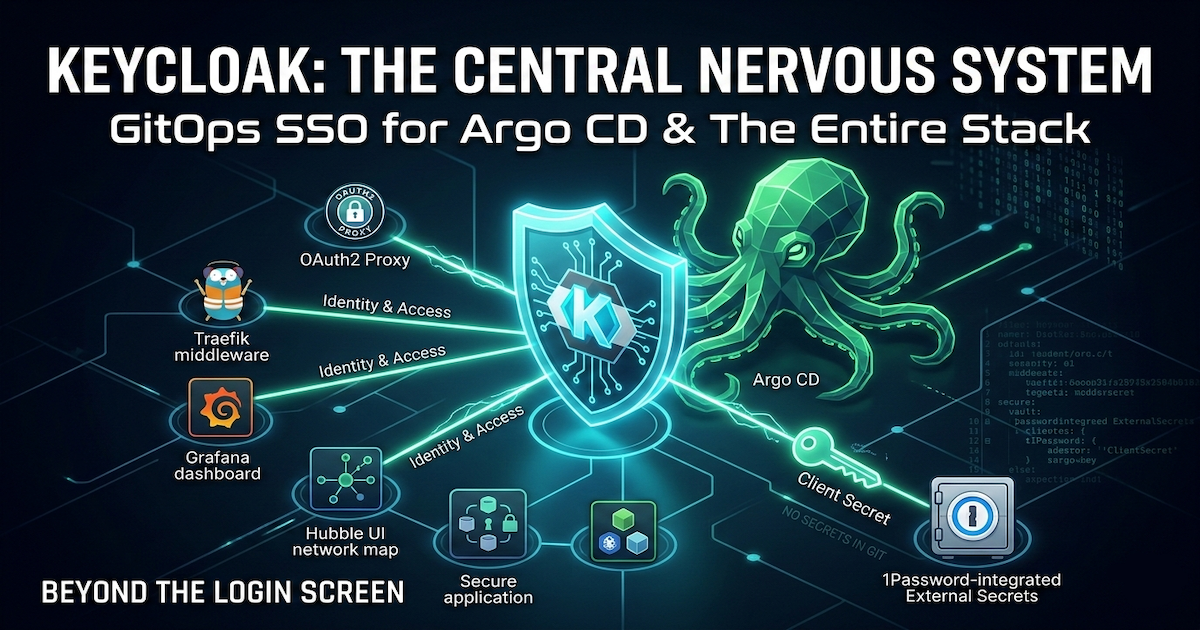
I treat my homelab with the same rigor. Keycloak is the central nervous system of my security posture:
- API Security at the Edge: It issues JWTs that Traefik’s middleware verifies before a request ever reaches a microservice, dropping malicious traffic at the door.
- Secure Access for Internal Tools: Many operational dashboards (like Jaeger or Longhorn UI) lack built-in authentication because they are often designed to be accessed via
kubectl port-forward. To expose them securely via Ingress, I follow the best practice of wrapping them in an OAuth2 Proxy, enforcing a strict Keycloak login before any traffic is allowed through. - Identity Federation: It unifies access across Grafana, Hubble UI, and the rest of the stack, ensuring that one identity rules them all.
Today, we focus on the most critical piece of that stack: Argo CD.
Argo CD is the control plane of our GitOps operation, holding write access to the entire cluster. Protecting such a critical component with a default admin password or shared credentials creates a significant vulnerability. We will resolve this by implementing Role-Based Access Control (RBAC) mapped directly to Keycloak groups, ensuring that cluster administration privileges are centrally managed, auditable, and secure.
The GitOps Approach vs. The Manual Way#
If you look at the official Argo CD documentation for Keycloak, it’s excellent. It walks you through editing ConfigMaps and patching secrets imperatively via kubectl.
However, we don’t do “kubectl edit” here. We do GitOps.
In a GitOps environment, we don’t manually patch live objects; we define the desired state in our repository. The challenge is translating those imperative instructions into a declarative Helm chart configuration that Argo CD can manage itself… a core part of the four-repo GitOps structure I use to manage the platform.
Here is how I adapted the standard instructions into a clean, reproducible GitOps configuration.
My GitOps Implementation#
As I mentioned earlier, the official Argo CD documentation is excellent, and there are countless step-by-step tutorials available for clicking through the Keycloak UI. I won’t replicate those here.
Instead, I want to focus on how I implemented this in a GitOps environment. The challenge isn’t connecting the two services; it’s defining the integration declaratively so that I don’t have to manually act as the “glue” between them.
1. The Keycloak Prerequisites#
On the Keycloak side, I performed two manual setup steps (though these could also be automated with the Keycloak Operator):
- Created an OIDC Client: I set up a client named
argocd, enabled Client authentication (which generates the client secret), and set the Root URL to my Argo CD instance (e.g.,https://argo.dev.thebestpractice.tech). - Configured Group Claims: To authorize users based on their Keycloak groups, I created a new Client Scope named
groupswith a “Group Membership” mapper. I set the “Token Claim Name” togroupsand disabled “Full group path” so I get clean group names likeArgoCDAdmins. Finally, I added this scope to theargocdclient as a Default Client Scope.
The output of this process is a Client ID and a Client Secret.
2. Declarative Secrets#
I never commit secrets to Git. Instead, I follow the pattern from my post on automating secrets: I store the Keycloak Client Secret in 1Password and use the External Secrets Operator to inject it into the cluster.
Note the labels in the template metadata. Argo CD requires specific labels to recognize secrets that are part of its configuration ecosystem.
apiVersion: external-secrets.io/v1beta1
kind: ExternalSecret
metadata:
  annotations:
    argocd.argoproj.io/compare-options: IgnoreExtraneous
  name: argocd-secret-sso
  namespace: argocd
spec:
  secretStoreRef:
    kind: ClusterSecretStore
    name: op-cluster-secret-store
  target:
    name: argocd-secret-sso
    creationPolicy: Owner
    template:
      metadata:
        labels:
          # Required by ArgoCD to read secret values from the default secret
          app.kubernetes.io/part-of: argocd
  data:
  - secretKey: clientID
    remoteRef:
      key: EXTSEC_1Password_Keycloak_ArgoCD
      property: client_ID
  - secretKey: clientSecret
    remoteRef:
      key: EXTSEC_1Password_Keycloak_ArgoCD
      property: client_secret_dev
This configuration ensures that the argocd-secret-sso secret is automatically created in the cluster, populated directly from my password manager, without ever exposing credentials in my repo.
3. Configuring Argo CD via Helm#
This is where the declarative approach shines. Instead of patching a ConfigMap with kubectl edit, I update my Argo CD Helm values file. Argo CD’s chart allows us to reference the secret we created in the previous step directly in the OIDC configuration.
configs:
  cm:
    url: https://argo.dev.thebestpractice.tech
    # OIDC Configuration block
    oidc.config: |
      name: Keycloak
      issuer: https://keycloak.dev.thebestpractice.tech/realms/master
      # Reference the secret keys we created in Step 2
      clientID: $argocd-secret-sso:clientID
      clientSecret: $argocd-secret-sso:clientSecret
      requestedScopes: ["openid", "profile", "email", "groups"]
Key Takeaway: The syntax $secret-name:key tells Argo CD to read the value from a Kubernetes secret rather than a plaintext string. This keeps the configuration transparent but secure.
4. Direct Group-to-Role Mapping (RBAC)#
Finally, I map the Keycloak groups directly to Argo CD roles using the argocd-rbac-cm configuration in Helm.
configs:
  rbac:
    # Tell Argo to look at the 'groups' claim in the OIDC token
    scopes: "[groups]"
    # CSV format: p (policy) or g (group), subject, role
    policy.csv: |
      g, ArgoCDAdmins, role:admin
With this block, anyone added to the ArgoCDAdmins group in Keycloak effectively inherits full admin rights in Argo CD. Management is centralized in the IdP, and the policy is version-controlled in Git.


Conclusion: Identity as Code#
This implementation does more than just add a “Login” button to Argo CD. It fundamentally shifts how we manage access in the platform.
By moving away from local users and imperative kubectl patches, we have established a robust, audit-ready security posture:
- Identity is Centralized: Keycloak is now the single source of truth. Disabling a user there instantly revokes their access to the control plane.
- Configuration is Declarative: The entire authentication flow… from the client secret injection to the RBAC policy… is defined in Git. There is no “magic state” hidden in the cluster.
- Secrets are Secure: We’ve bridged the gap between our password manager (1Password) and Kubernetes without ever exposing credentials in our repository.
This is the difference between a “home server” and a “homelab platform.” We aren’t just installing tools; we are integrating them into a cohesive, secure ecosystem.
This setup lays the groundwork for everything that follows. Whether it’s securing legacy dashboards with OAuth2 Proxy or managing machine identities, Keycloak will remain the central pillar of our security architecture. I look forward to sharing those implementations in future posts as the platform evolves.
As always, you can find the complete implementation, including the Argo CD Helm values and External Secret templates, in my GitHub repository.
Stay tuned! Andrei